Footer
This document provides an overview of the footer components available in your project. Each component has a small description, usage example, tips, and a screenshot.
Footer1 Component
Description
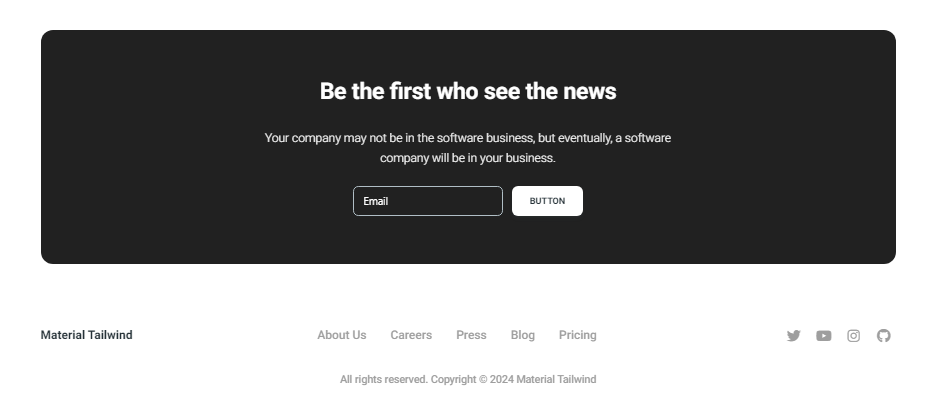
The Footer1 component includes a newsletter subscription form along with links to various sections of the website. It is designed to keep users engaged and provide easy navigation to important pages.
Importing the Component
import Footer1 from "@/components/Footer/Footer1";
Tips
- Ensure the newsletter form is connected to your email marketing service to capture user emails effectively.
- Customize the links and social media icons to reflect your website's actual structure and social media presence.
Screenshot
Footer2 Component
Description
The Footer2 component provides a simple and clean footer layout with links to various sections of the website and social media icons. It is suitable for minimalistic designs and ensures users have access to essential navigation links.
Importing the Component
import Footer2 from "@/components/Footer/Footer2";
Tips
- Keep the footer links updated to ensure users can easily navigate to the most important pages.
- Use social media icons to drive traffic to your social media profiles and improve user engagement.
Screenshot
