Pricing
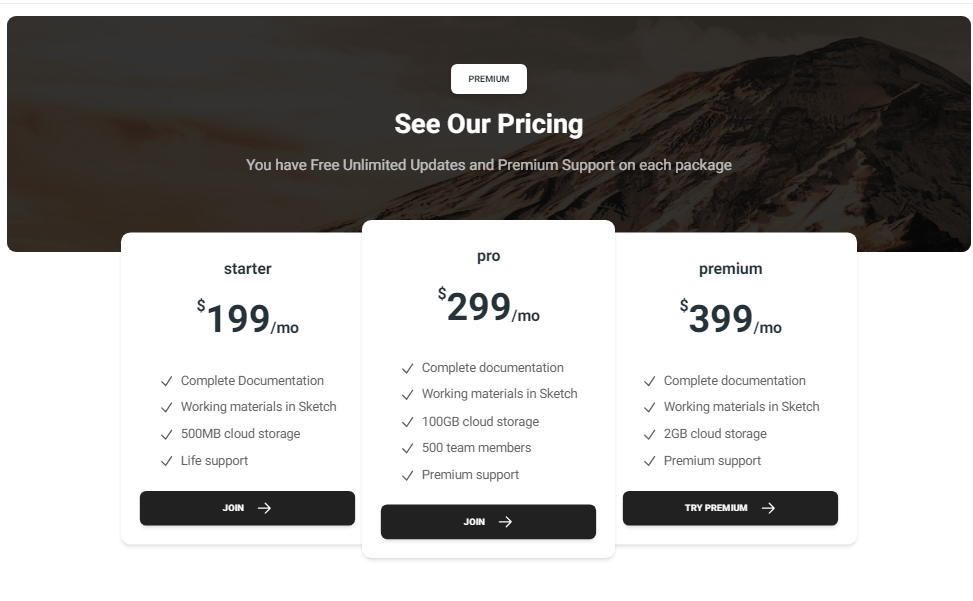
This document provides an overview of the pricing components available in your project. Each component has a small description, usage example, tips, and a screenshot.
Pricing1 Component
Description
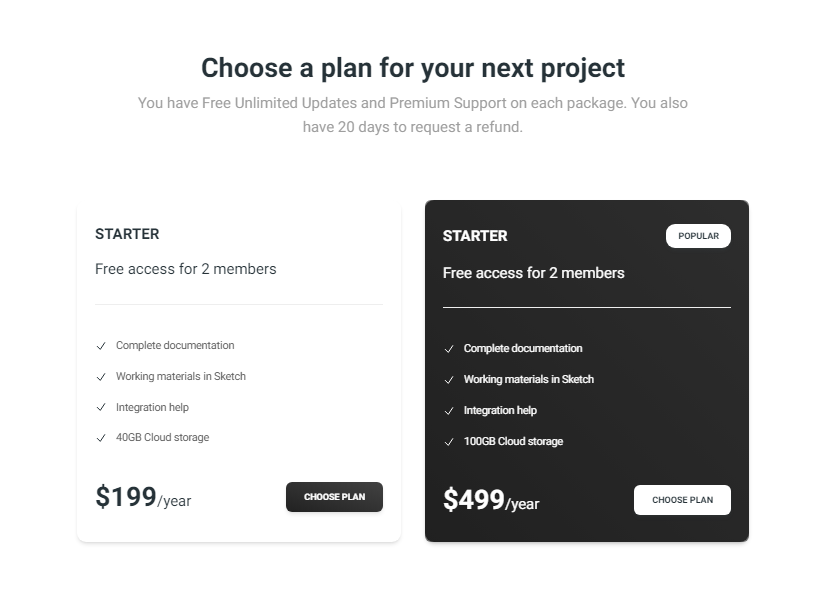
The Pricing1 component features a simple and clean layout for displaying pricing plans. It includes multiple pricing cards with different plans, each showing the price, features, and a call-to-action button.
Importing the Component
import Pricing1 from "@/components/Pricing/Pricing1";
Tips
- Customize the pricing plans to match your product or service offerings.
- Ensure the call-to-action buttons link to the appropriate signup or purchase pages.
Screenshot
Pricing2 Component
Description
The Pricing2 component offers a more detailed and visually engaging layout for pricing plans. It includes a hero section with a headline, a subheadline, and multiple pricing cards that showcase different plans and their features.
Importing the Component
import Pricing2 from "@/components/Pricing/Pricing2";
Tips
- Use the hero section to highlight key benefits of your pricing plans.
- Ensure the pricing cards clearly differentiate between the different plans and their features.
Screenshot